



GravaStar Mercury X vs Keychron M3 - A Comparison of Wireless Mice
The wireless gaming mouse market is highly polarized today. On one side, there are designs that try to reduce weight to the absolute minimum and shorten response time as much as possible. On the other, there are more versatile models designed to work well not only in games, but also at work, with a laptop, and in multi-device setups. GravaStar Mercury X and Keychron M3 represent these two approaches. Both mice offer 2.4 GHz wireless connectivity, Bluetooth, and wired mode, but their hardware architecture, build philosophy, and user profile are clearly different.
Design and build quality
GravaStar Mercury X
Mercury X stands out immediately with its design. The manufacturer used an openwork magnesium-alloy frame with a thickness of 0.8 mm, making the mouse very light and rigid.
This is a model designed more like enthusiast gear than a classic everyday mouse. The open shell additionally improves airflow and gives the device a strongly futuristic look.
Keychron M3
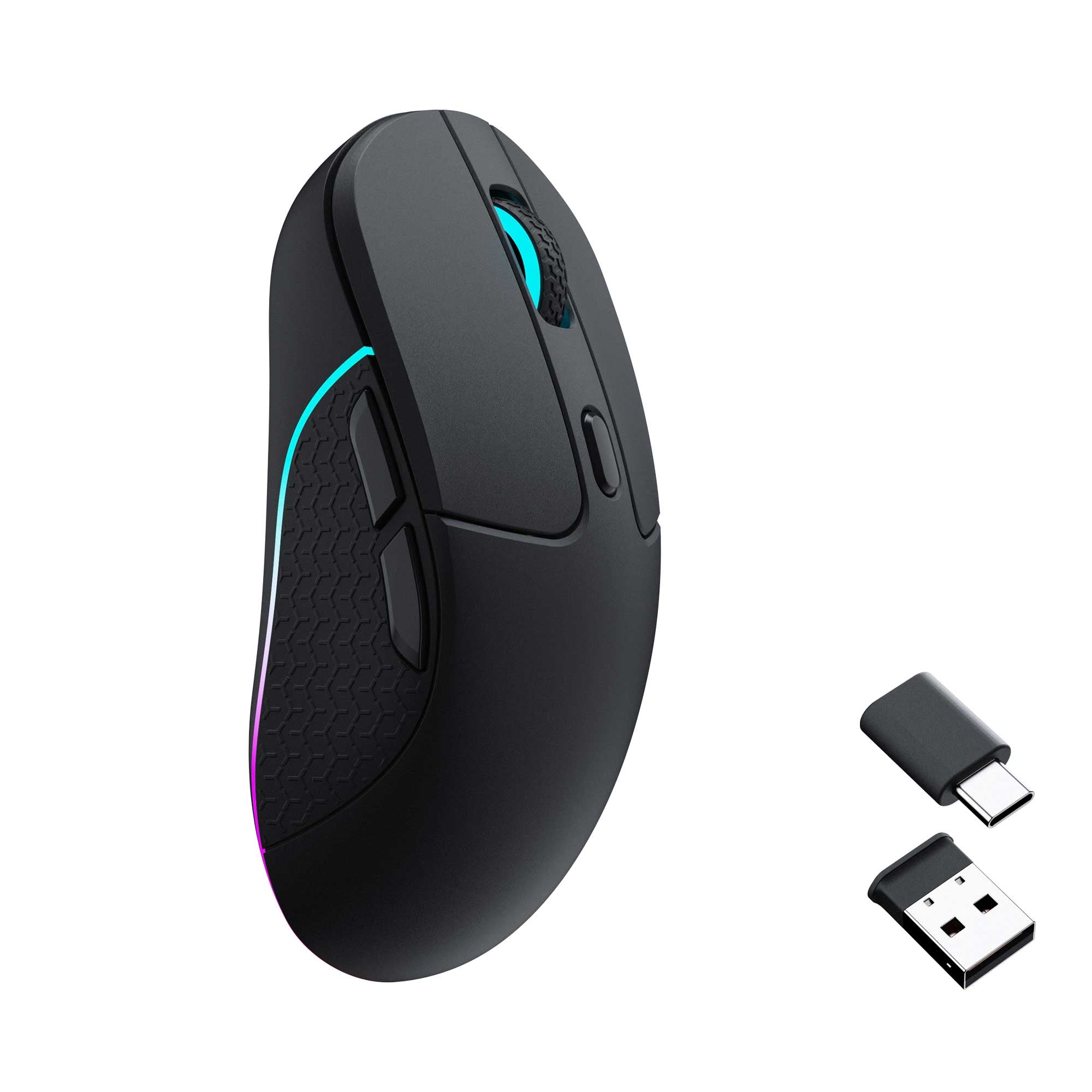
Keychron M3 goes for a more classic form. The housing is made of ABS, and the overall shape is calmer and more universal.
It’s a less visually flashy design, but easier to accept for a broader group of users. M3 fits better into the role of a mouse for both work and gaming.

Weight and movement dynamics

GravaStar Mercury X
The biggest advantage of Mercury X is its weight of only 49 g. That’s an ultralight-segment result that works very well in fast-paced games. Lower weight means less resistance during movement, quicker stopping, and easier micro-adjustments. This is especially important in FPS games.
Keychron M3
Keychron M3 weighs about 79 ± 3 g, so it’s clearly heavier than Mercury X. However, it still remains a light mouse compared to many classic models. In practice, M3 feels more balanced. It isn’t as radically slimmed down, but for some users that will be more comfortable.

Sensor and precision

GravaStar Mercury X
Mercury X uses the PAW3950 sensor and offers up to 32,000 DPI with a 1000 Hz polling rate. This is a very strong configuration for a user who prioritizes precision and low input lag. Even if most gamers won’t use the full DPI range, the spec itself shows that we’re dealing with a modern premium platform.
Keychron M3
Depending on the version, Keychron M3 offers the PixArt PAW3395 sensor with resolution up to 26,000 DPI, 650 IPS speed, and 50 g acceleration. This is still a very high-end tier. In practice, M3 provides more than enough precision for gaming. It doesn’t impress as much with the raw numbers as Mercury X, but it’s still very solid technically.

Polling rate and variants

GravaStar Mercury X
Mercury X operates at a 1000 Hz polling rate. This is still a standard that is completely sufficient for most gamers. The upside is the simplicity of the lineup. The user gets one clearly defined configuration without having to analyze several versions of the same model.
Keychron M3
Keychron M3 comes in 1000 Hz, 4000 Hz, and 8000 Hz variants. This provides more choice, but also means you need to carefully check the specific version before buying. This matters because M3 isn’t one identical product. Individual variants may differ in capabilities and performance characteristics.

Technical verdict

GravaStar Mercury X
GravaStar Mercury X is a mouse for the user who prioritizes the lowest possible weight, fast reactions, and a more performance-oriented character. It’s a specialized and very distinctive model. If your priority is lightness and strong specs, Mercury X is very convincing. It’s a proposition more for an enthusiast than for the average user.
Keychron M3
Keychron M3 is more versatile and a more sensible purchase. It offers greater flexibility, more classic ergonomics, and several variants tailored to different needs. If you’re looking for a mouse for gaming and everyday work, while also wanting a better price-to-performance ratio, M3 will be a very sensible choice.

Summary
GravaStar Mercury X and Keychron M3 aren’t competing for exactly the same user. Mercury X focuses on extreme lightness and a more uncompromising character.
Keychron M3 wins on versatility, a wider choice of versions, and better value.


Satechi Slim EX3 vs Satechi Slim X3 - A Comparison of Wireless Keyboards
The Satechi Slim EX3 and Satechi Slim X3 are two wireless keyboards with a very similar design, but each is tailored to a slightly different user. The EX3 is a more versatile model with more modern connectivity options, while the X3 is better suited to the aesthetic and workflow typical of Apple users. At first glance, the differences don’t seem significant, but in everyday use, it quickly becomes clear that these are two quite different approaches to the same category of hardware.

GravaStar Mercury X vs Keychron M3 - A Comparison of Wireless Mice
The market for wireless gaming mice is highly polarized today. On the one hand, there are models designed to keep weight to an absolute minimum and minimize response time. On the other hand, there are more versatile models, designed to perform well not only in games but also at work, with a laptop, and in multi-device setups...

Maono Wave T5 vs RODE Wireless Micro - wireless microphone comparison
When comparing the Maono Wave T5 and RODE Wireless Micro, it is worth moving away from general marketing applications and focusing on the technical aspects of design, transmission, and audio signal processing. Both systems belong to the category of compact wireless microphones, but they were designed with a distinctly different engineering philosophy...
